House notes, pet care and a kitchen screen for the whole family
Write down how the house works, share out the pets’ care, and put today on a screen in the kitchen.
Some of the heaviest work in a home is knowing things: how the boiler restarts, which bin goes out this week, when the dog last had its flea treatment. While that knowledge lives in one person’s head, the job can never move to anyone else. Our home is where Equal House writes it down and shares it out. House Notes, pets and the Family Wall are free on every plan.
- House Notes
- Bric reads them too
- Pets, counted as the work they are
- A page for each pet
What you get
House Notes
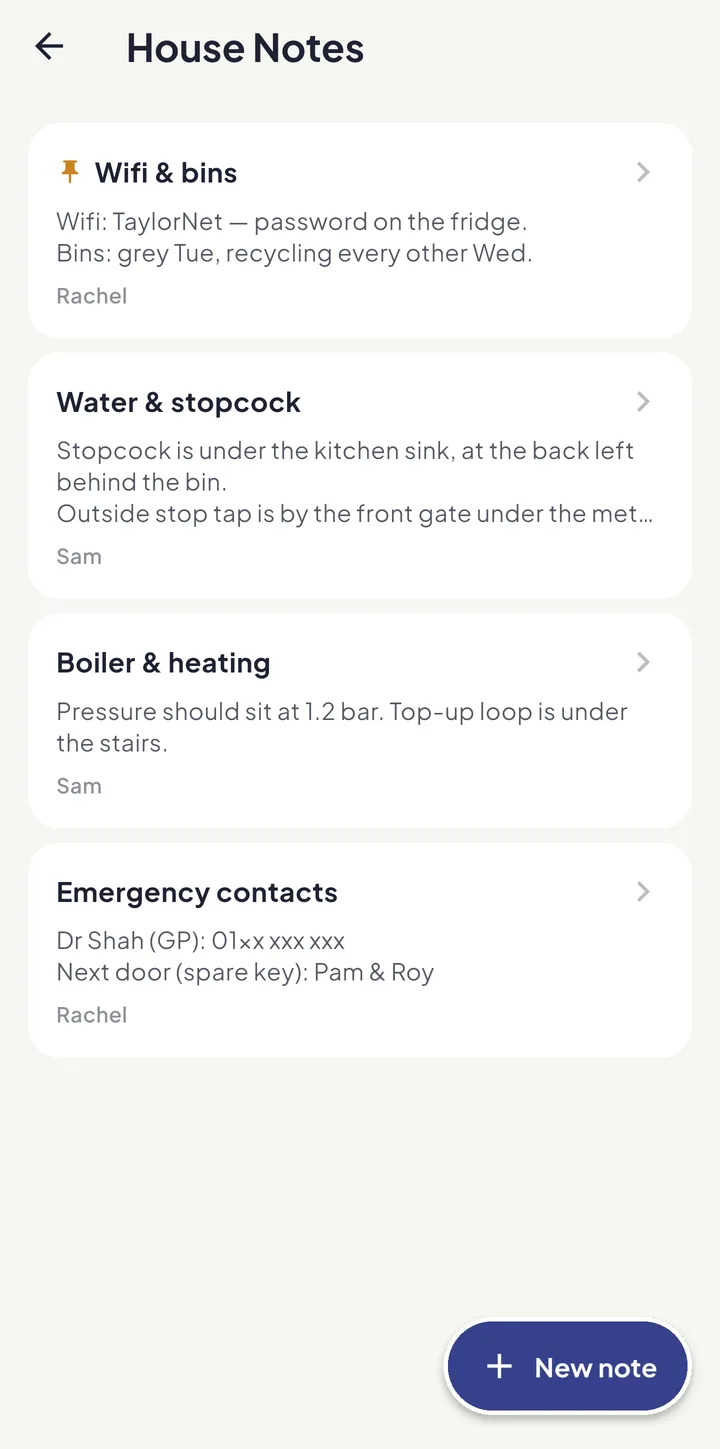
The boiler, bin days, the wifi password, where the stopcock is, the plumber you trust, the window that sticks: write each one down once, pin the ones people ask about most, and every grown-up can read them when you’re not there. Tap Dictate and say it instead of typing.
Bric reads them too
Ask Bric where the stopcock is or how to repressurise the boiler and he answers from your own notes — and says plainly when something isn’t written down yet. Bric is part of Equal House Pro.
Pets, counted as the work they are
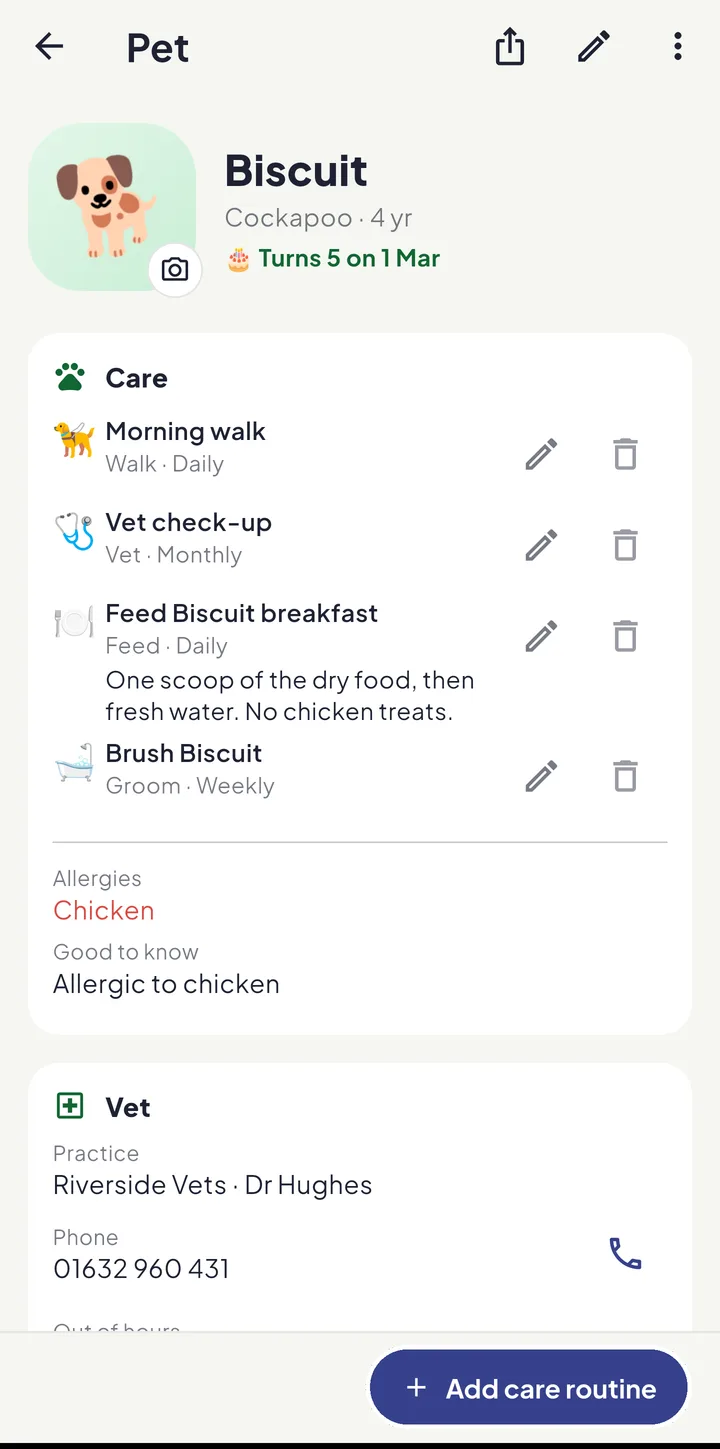
Add each pet, then a care routine for each kind of care — feeding, walks, litter, medication. They become tasks like any other, so they repeat, carry effort, and count in the Fairness Score. The household where “the dog is no trouble” is usually one where one person walks it twice a day.
A page for each pet
Each pet has a page of its own: a photo, the vet’s practice and number, the care routines with how to do each one, health and ID, documents and their birthday. The birthday goes on the calendar every year, and so do vaccination, flea and worm dates; pet insurance shows in Renewals with Pro. Set repeating medication so a dose never depends on someone remembering.
A first job for the children
Pet chores are often a child’s first real responsibility: tap their face under Who does it and feeding the cat becomes their job, on their own Kid Zone board.
The Family Wall
Put a spare tablet on the kitchen worktop and leave it on More → Family Wall: today’s agenda, who is doing what and where the household stands, big enough to read while making toast. Bric sits in the corner — sleepy after half seven at night — and cheers, silently, once the day’s list is done.
The day at a glance, on a computer or TV
Open the Family Wall at app.equal.house on a spare laptop, or a computer plugged into a monitor or TV, and it becomes an overview of the family’s day: the clock, today’s timeline, a widget for each person, what’s next, tonight’s dinner and what’s coming up, arranged the way your family wants it. It only shows; nothing on it can be changed by a passer-by.
Renewals and documents alongside
The car insurance, the MOT and the passports have their own Renewals list with Equal House Pro, and the paperwork itself lives in Family Documents, shared or private, on every plan.
Knowing is work, and it counts
Pet care is shared out and counted in the Fairness Score like any other job. And a note on how the heating works is one of the few things that genuinely moves work rather than tasks: once it’s written down, the job can finally go to someone else.
How-tos and guides
In the app
Keep exploring
Share the home. Lighten the load.
Join the families using Equal House to split chores, childcare and the mental load fairly — and finally feel like a team again.


Free to start on your iPhone Free to start on your Android phone Free to start · No ads · Your family's data stays yours.